MilliCache: Redis-Backed Full-Page Caching for WordPress
 Ben Word
WordPress page caching is solved on paper and a mess in practice — disk caches that don’t shard across web nodes, object caches that still boot the full PHP stack, and “clear all” buttons that nuke a site when someone makes a small change.
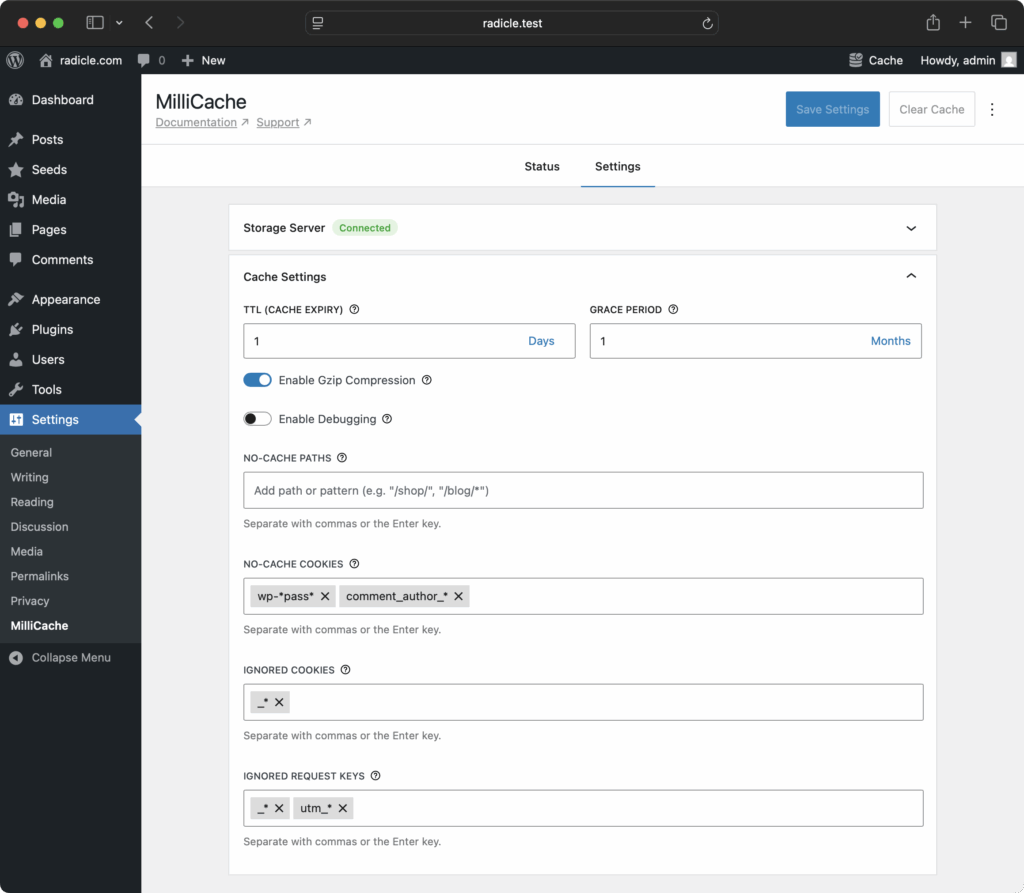
MilliCache is a new full-page cache plugin from MilliPress, a small team of long-time Roots community members. It stores rendered responses in Redis (or any Redis-compatible server — ValKey, Dragonfly, KeyDB) and serves them from advanced-cache.php before WordPress boots. There’s also an Acorn package that drops it into Acorn projects.
The flag system
Most WordPress page caches give you two invalidation primitives: clear one URL, or clear everything. The first is useless because you don’t know which URLs reference which content. The second is useless because it costs you the entire cache for one edited paragraph. Everyone ends up clearing everything, all the time, and the cache hit rate quietly tanks.
MilliCache tags every cached response with semantic flags as it stores it: post:123, archive:post, home, author:42, plus anything you add yourself. The flags live in Redis sets, so the question “which entries reference post 123?” is one SMEMBERS call. When you save that post, MilliCache walks its flags and invalidates exactly the entries that need it. The post page. Its archives. The homepage if it appears there. Nothing else.
This is the whole reason to use it. The speed exists in other tools too. Surgical invalidation does not.
How a request actually flows
A request hits advanced-cache.php. MilliCache builds a key from the URL and any configured variants, does one Redis GET, and if there’s a hit, streams the body back. WordPress is never loaded. No wp-config.php, no plugins, no theme bootstrap, no database connection. The full request lifecycle is a network round-trip and an echo. That’s where the sub-10ms numbers come from.
On a miss, WordPress boots normally, renders the page, and on the way out MilliCache captures the response and writes it back to Redis with its flags attached. The next request for that URL is a hit.
Why Redis instead of disk
Memory access beats disk access on the smallest VPS, even before you count the filesystem syscalls on every hit. Concurrent writes need lock dances to avoid corruption. And the moment you want flag-based invalidation, you need an index of which files belong to which flags. Redis collapses all of that. Atomic operations come for free. The flag → key index is a built-in primitive instead of something you’d otherwise have to invent. If you ever do scale out, every node already shares the same cache.
The cost is that you need a Redis server. If you already run one for the object cache, you’re ready. Trellis users can easily change the WordPress sites config and then Trellis will provision Redis for you.
The Acorn package
Acorn MilliCache is a Laravel middleware that wires MilliCache into any Acorn project: Sage themes, full Bedrock and Radicle stacks.
composer require millipress/acorn-millicache
The middleware registers itself via Acorn’s package discovery, captures Acorn route responses on the way out, and stores them in Redis. The next request for the same route is served from advanced-cache.php without booting Acorn or hitting your controller. If you want to override the defaults, wp acorn vendor:publish --tag=millicache and edit the config file.
My take
If you’re starting a Bedrock or Radicle project today, or if you already have Redis in your infrastructure, install MilliCache. The flag system pays for itself the first time someone edits a post and you don’t have to explain why the homepage is slow after saving.
The repo is at https://github.com/MilliPress/MilliCache, the Acorn package at https://github.com/MilliPress/Acorn-MilliCache, and the docs are at https://millipress.com/docs/millicache.